 Press Play Again
That computer.
That game.
That feeling.
Bring the games and system files you own. Put them on a shelf, choose a computer, and pick up where you left off whenever you have a few minutes.
For iPhone and Android. Public store releases are being prepared.
Three steps back into a game.
The app keeps your collection organised and makes it easy to return to a session.
Set up a computer
Add the system files from your own licensed copy. The app guides you through the files each computer needs.
Add your games
Choose a folder of games on your phone, including supported files inside ZIP archives. They appear on the right computer's shelf.
Play, then come back
Start a game with on-screen controls or a controller. Save when you want; leaving normally keeps a place to continue from.
A familiar computer, without the clutter.
Your collection, on a shelf
Browse games by computer, search, filter by media, and find what you played recently.
Play now or enjoy the ritual
Get straight into a game, or let a tape load as it did before. Fast forward is there when you've had enough waiting.
Controls that feel considered
Use the computer's on-screen keyboard, an on-screen joystick where supported, a physical keyboard or a game controller.
Come back to where you were
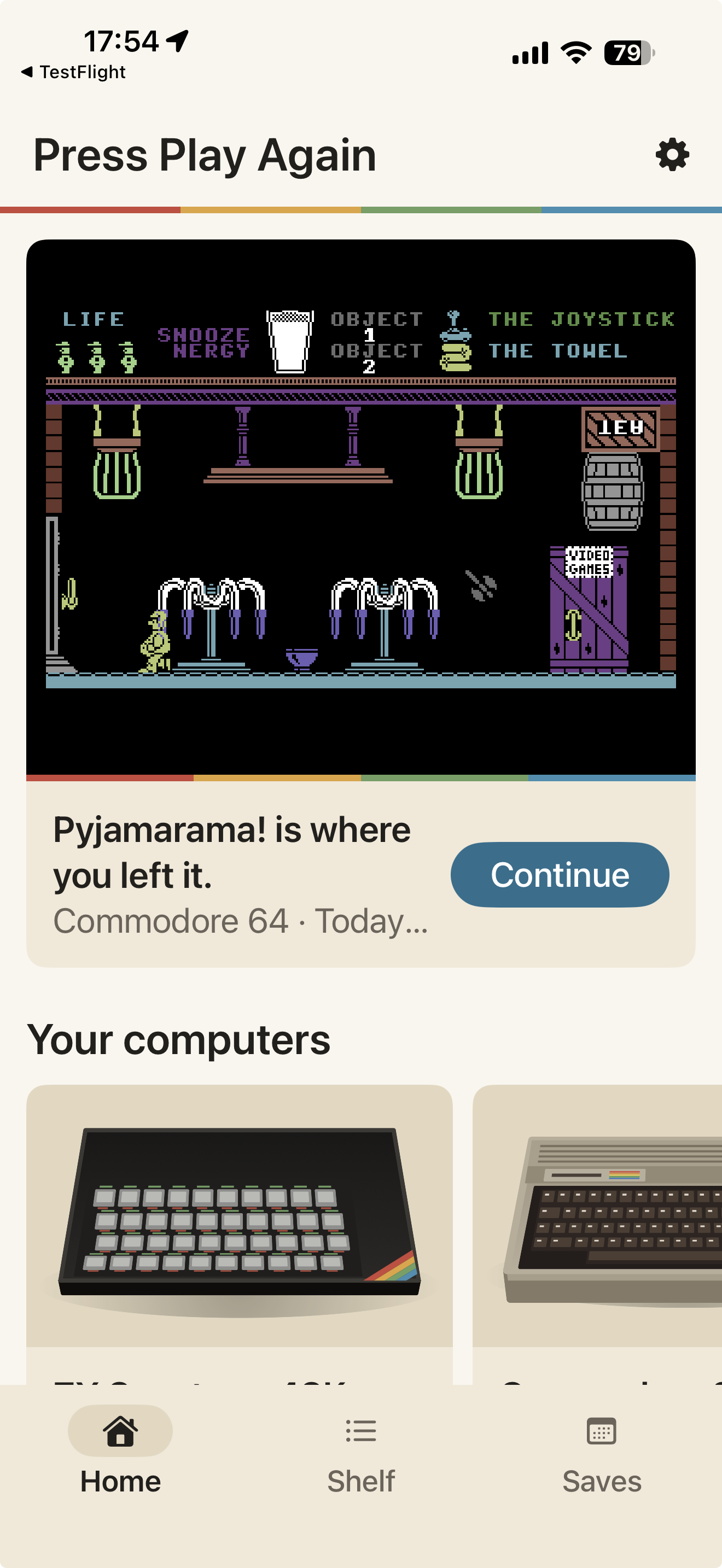
Keep manual saves and an automatic “Where you left off” save. The Saves tab puts each return point in reach.
A shelf with room for old favourites.
Press Play Again brings together the home computers many of us grew up with. Each has its own page, setup and controls.
Support varies by computer and file type; some games may need particular system files or add-ons.
Just one more go, whenever you like.
A short session needn't start from scratch. Saves remember the machine's state, and the Home screen puts your latest game in front of you.
Your files stay yours. The app doesn't bundle games or machine system software. Add games and system files you own or have permission to use.
LEFT OFFA PLACE TO RETURN TO
Frequently asked questions
Are games or machine ROMs included?
No. Press Play Again does not bundle games or machine system software. You supply files that you own or have permission to use.
Can I use a controller?
Yes. The app supports game controllers, and offers on-screen controls suited to the computer you're using. Some games need their own keyboard choices or joystick settings.
Can I resume a game later?
Yes. You can make a manual save, and leaving a game normally creates a “Where you left off” save. Find your saves on the Home and Saves screens.
Will every old game work?
Compatibility depends on the computer, the game file and the system files or add-ons it needs. The app explains files it cannot open on your shelf.
Some games are worth pressing play again.
Press Play Again is in testing for iPhone and Android. Public store links will appear here at release.